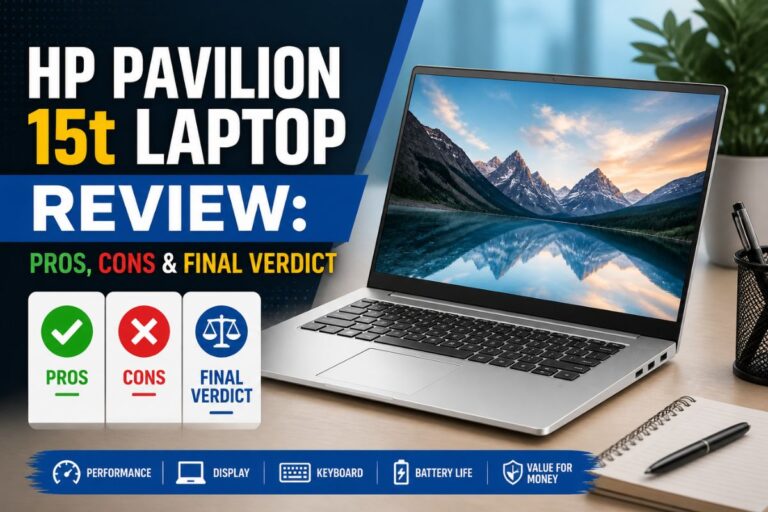
HP Pavilion vs Dell Inspiron — I went back and forth on this one longer than I’d like to admit.
Both are solid Windows laptops sitting in the same general price range, aimed at the same kind of person — someone who just needs a reliable machine for everyday stuff. But once you actually start comparing them side by side, they’re not as similar as they first look. The Pavilion is the more compact one. It’s lighter, easier to carry around, and has a touchscreen — which sounds like a small thing until you’re using it daily and realize how often you actually reach for the screen. If you’re a student, someone who moves between rooms a lot, or just hate bulky bags, that matters.
The Inspiron Plus takes a different angle. It’s built more for people who sit down and work — like, actually work. The screen is bigger and noticeably sharper, which makes a real difference if you’re staring at it for hours. It leans harder into productivity than portability. Storage and core specs are pretty comparable between the two, so that’s not really where you make the decision. It comes down to what your day actually looks like. Do you need something light that you can toss in a bag and use on the go? The Pavilion makes sense. Do you mostly work from a desk and want a better screen for longer sessions? The Inspiron fits that better.
Neither is a bad pick — they just solve slightly different problems.
Quick Snapshot: HP Pavilion vs Dell Inspiron
- Choose Pavilion Touchscreen if you prefer a lighter device for carrying around.
- Pick Inspiron Plus 16 if you want a larger, higher-resolution display for multitasking or visuals.
- Pavilion Touchscreen is handy for simple touch-based tasks and movies on the go.
- Inspiron Plus 16 suits those who value a productivity-focused laptop with extra screen space and comfort features.
- If you need a device with more ports in a compact body, Pavilion Touchscreen covers the basics well.
Everyday Experience With Each Laptop
The Pavilion is one of those laptops that just gets out of your way. Boots fast, handles browsing and video calls without making you wait, and the touchscreen actually works the way you’d expect — smooth, responsive, no awkward lag when you’re scrolling or tapping around. And because it’s so light, you genuinely forget it’s in your bag half the time. The Inspiron Plus 16 feels different from the moment you open it. That taller screen immediately gives you more room to breathe — editing a long document or having two browser tabs open side by side feels less cramped than on most laptops in this range. The keyboard has a solid, confident feel to it. Not mushy. The kind you can actually type on for a while without getting annoyed.
HP Pavilion vs Dell Inspiron for students
It’s heavier, and I did notice that. But the trade-off felt fair. The screen has ComfortView built in, which cuts down on eye strain during long sessions — a small thing, but you feel it by hour three. The included support service is also a nice safety net, especially if this is your main machine and downtime isn’t really an option for you. So honestly? The Pavilion wins for convenience and portability. The Inspiron wins for the people who live on their laptops and want a setup that can actually keep up.
Pavilion Touchscreen Laptop: Key Points At A Glance

Where Pavilion Touchscreen Fits Best
- Good for students or commuters who need a light, compact laptop.
- Touchscreen helps with simple navigation and casual use.
- Handles everyday tasks like browsing, emails, and video calls easily.
- Long battery life supports extended use away from outlets.
Where Pavilion Touchscreen Feels Limiting
- Screen resolution is lower than some rivals, less ideal for detailed work.
- Not suited for heavy multitasking or demanding creative tasks.
- Plastic build feels less premium compared to higher-end models.
Inspiron Plus 16: Core Features At A Glance

Where Inspiron Plus 16 Shines
- Great for multitasking thanks to a large, high-res screen.
- ComfortView Plus helps reduce eye strain during long sessions.
- Solid for working with multiple windows or spreadsheets.
- Extra support and migration service add peace of mind for new users.
Where Inspiron Plus 16 Has Drawbacks
- Heavier and less portable than smaller laptops.
- May be overkill for simple web tasks or light use.
- Higher price point compared to entry-level models.
Comparing Real-world Use: Display, Portability, And Comfort
In daily life, I looked at how each laptop handled multitasking, display comfort, and basic productivity tasks. The Pavilion Touchscreen is easy to move around and simple for everyday use. Inspiron Plus 16 stands out for its sharp display and sturdy feel, especially during longer work sessions.
Both offer Windows 11, but the experience depends on your needs and how much you move around.
How Do They Feel To Carry And Use On The Go?
| Aspect | HP Pavilion 15.6″ HD Touchscreen Anti-Glare Laptop, 16GB | Dell Inspiron 16 Plus 7640 Laptop – 16.0-inch |
|---|---|---|
| Weight | Light, easy to carry (about 3.75 lbs) | Heavier, less portable (about 4.76 lbs) |
| Profile | Slim and compact | Wider and taller footprint |
| Battery Life | Up to 11 hours (claimed) | Not specified |
| Best Use | Commuting, travel, students | Office, desk setups, longer sessions |
Ratings: HP Pavilion 15.6″ HD Touchscreen Anti-Glare Laptop, 16GB – 8/10 | Dell Inspiron 16 Plus 7640 Laptop – 16.0-inch – 7.5/10
Edge: Pavilion Touchscreen suits those who need to move around often.
Which Display Works Better For Work And Media?
| Aspect | HP Pavilion 15.6″ HD Touchscreen Anti-Glare Laptop, 16GB | Dell Inspiron 16 Plus 7640 Laptop – 16.0-inch |
|---|---|---|
| Size | 15.6-inch | 16.0-inch (16:10 aspect ratio) |
| Resolution | HD (1366 x 768) | 2.5K (higher detail) |
| Touchscreen | Yes | No |
| Blue Light Comfort | No special filter | Dell ComfortView Plus included |
| Refresh Rate | Standard | 120Hz (smoother motion) |
Ratings: HP Pavilion 15.6″ HD Touchscreen Anti-Glare Laptop, 16GB – 7/10 | Dell Inspiron 16 Plus 7640 Laptop – 16.0-inch – 8.5/10
Edge: Inspiron Plus 16 is better if you care about screen clarity and comfort.
How Do They Handle Everyday Tasks?
| Aspect | HP Pavilion 15.6″ HD Touchscreen Anti-Glare Laptop, 16GB | Dell Inspiron 16 Plus 7640 Laptop – 16.0-inch |
|---|---|---|
| Processor | Intel Core i3 (up to 4.1GHz) | Intel Core i7 (13th Gen) |
| RAM | 16GB | 16GB |
| Storage | 1TB SSD | 1TB SSD |
| Ports | USB-C, HDMI, USB-A | Varied ports, not detailed |
| Operating System | Windows 11 Home | Windows 11 Home |
Ratings: HP Pavilion 15.6″ HD Touchscreen Anti-Glare Laptop, 16GB – 7.5/10 | Dell Inspiron 16 Plus 7640 Laptop – 16.0-inch – 8/10
Edge: Inspiron Plus 16 handles heavier multitasking with its newer processor.
What About Comfort During Long Sessions?
| Aspect | HP Pavilion 15.6″ HD Touchscreen Anti-Glare Laptop, 16GB | Dell Inspiron 16 Plus 7640 Laptop – 16.0-inch |
|---|---|---|
| Eye Comfort | No dedicated blue light filter | ComfortView Plus hardware filter |
| Keyboard Quality | Standard layout | Sturdy, larger format |
| Screen Finish | Anti-glare | Matte, with comfort features |
| Support | No special service included | 1 year onsite service, migration tool |
Ratings: HP Pavilion 15.6″ HD Touchscreen Anti-Glare Laptop, 16GB – 7/10 | Dell Inspiron 16 Plus 7640 Laptop – 16.0-inch – 8.5/10
Edge: Inspiron Plus 16 is more comfortable for long working hours.
Which Offers Better Value For Its Features?
| Aspect | HP Pavilion 15.6″ HD Touchscreen Anti-Glare Laptop, 16GB | Dell Inspiron 16 Plus 7640 Laptop – 16.0-inch |
|---|---|---|
| Price Range | Entry-mid level | Mid-high level |
| Build Quality | Plastic, basic | Sturdy, premium feel |
| Extras | Touchscreen | Comfort features, support |
| Who It Suits | Budget-minded, light users | Productivity-focused, long-term users |
| Upgrade Path | Limited | Not specified |
| Peace of Mind | Standard warranty | Onsite and migration support |
Ratings: HP Pavilion 15.6″ HD Touchscreen Anti-Glare Laptop, 16GB – 7.5/10 | Dell Inspiron 16 Plus 7640 Laptop – 16.0-inch – 8/10
Edge: Inspiron Plus 16 is better if you value comfort and support, while Pavilion Touchscreen is good for simple needs and lower budgets.
Long-term Comfort And Trust Over Months Of Use
Both Pavilion Touchscreen and Inspiron Plus 16 are easy to learn if you are familiar with Windows. The Pavilion’s simple layout means you can get started right away, and it stays consistent for everyday tasks. Its lightweight feel is reassuring if you move between home and campus or office.
Inspiron Plus 16 takes a bit more to get used to if you haven’t worked with a taller display or Dell’s comfort features, but once settled, it delivers a dependable workspace. The included support and migration tools build trust, especially if you want a smooth transition from an older device.
Both provide a sense of reliability, but Inspiron Plus 16 feels more tailored for steady, long-term work routines.
Which Laptop Suits Your Everyday Needs Best?
Pavilion Touchscreen is a solid pick for students, commuters, or anyone who wants a lightweight laptop for browsing, emails, and basic tasks. The touchscreen adds a simple way to interact with apps, and the long battery life helps if you are often away from a desk. It’s a practical choice if you value portability and a straightforward experience.
Inspiron Plus 16 is a better fit for those who spend hours at their desk or work with multiple windows. The high-resolution screen and comfort features make it easier on the eyes, and the extra support services offer peace of mind. It’s well-suited for productivity, multitasking, and users who want a device that can grow with their workload.
HP Pavilion vs Dell Inspiron. Both options are reliable, but your daily routine will help you decide which fits best.
Common Questions On Hp Pavilion Laptop Vs Dell Inspiron Laptops
Is The Pavilion Touchscreen Good For Students?
Yes, it is light and easy to carry between classes. The touchscreen is simple for note-taking and browsing but not ideal for heavy creative work.
Does Inspiron Plus 16 Work Well For Long Office Sessions?
Yes, the larger screen and ComfortView Plus help reduce eye fatigue. It is also sturdy and has support services for added peace of mind.
Which Laptop Is Better For Watching Movies?
Inspiron Plus 16’s sharper and bigger display offers a better viewing experience. Pavilion Touchscreen is fine for casual watching but has a lower resolution.
Can Either Laptop Handle Light Gaming?
Both can run basic games, but neither is designed for heavy gaming. Inspiron Plus 16’s better graphics and display may handle casual titles more smoothly.
How Do The Keyboards Compare?
Pavilion Touchscreen has a standard keyboard that works for daily typing. Inspiron Plus 16 offers a larger, more comfortable layout for longer writing sessions.
Do Both Run Windows 11 Out Of The Box?
Yes, both laptops come with Windows 11 Home pre-installed. You can start using them without needing to upgrade the OS.
HP Pavilion vs Dell Inspiron: Which laptop is better?
It’s sturdy enough for normal use but feels less premium than metal laptops. If you want something that feels more solid, Inspiron Plus 16 is a better choice.