Kindle Paperwhite 7th Generation offers a glare-free display, long battery life, and a comfortable reading experience that still holds up in 2026.
Ever tried reading on your phone at night and felt your eyes burn? Or missed a bus stop because your paperback needed two hands? The Kindle Paperwhite 7th Generation solves those everyday hassles. It’s light, easy on the eyes, and lasts for weeks. You can toss it in a bag without worry and read in bright sun or a dark room. If you want a simple, focused way to read more, this little slab makes it painless—and kind of addictive.

Is Kindle Paperwhite 7th Generation Good?
Yes—for most readers, it’s still a smart buy. The Kindle Paperwhite 7th Generation nails the basics: crisp 300 ppi text, a long battery life, and a glare-free screen that feels close to real paper. It’s ideal if you want an affordable e-reader that stays out of your way and just lets you read. In this kindle paperwhite 7th generation review, I focus on how it holds up now and who should still consider it.
In my first month, I used it during my subway commute and on a beach weekend. It never struggled in sunlight, and I went nearly three weeks before needing a charge. I’ve also read in bed without waking my partner. No buzzing notifications. No eye strain. Just books.
My First Impression for Kindle Paperwhite 7th Generation
Mine arrived in a compact, minimal box with a simple setup card. The device itself felt sturdy yet light, with that soft-touch back that grips well. The 6-inch screen looked sharp right away—letters popped like a fresh paperback. Build quality felt solid, with no creaks, and the bezels made it easy to hold one-handed.
Setup took me under five minutes. I connected to Wi‑Fi, signed in, and my library synced. First page turns were smooth enough, and text rendering was clean at small sizes. I did notice the lack of warm light at night, but the regular front light was even and easy on my eyes. My first emotion? Relief. It did exactly what I wanted without fuss.

What Makes It Stand Out / Key Features
- 300 ppi E‑Ink display for sharp, paper-like text
- Adjustable front light for night and day reading (no warm light)
- Weeks-long battery life on a single charge
- Lightweight, compact body for one-handed reading
- Whispersync, X‑Ray, and Goodreads integration
- Wide Amazon ecosystem with a huge book selection
- Micro‑USB charging; Wi‑Fi for quick downloads

What I Like
- Text clarity is excellent; reading is easy for long sessions
- The battery lasts for weeks, even with daily reading
- Readable in bright sun; no glare or reflections
- Compact and light—great for travel and commutes
- Simple interface; quick to jump back into your book
- Amazon store and library make finding books fast
- Affordable on the used/refurb market

What Could Be Better
- No warm light; late-night reading can feel a bit cool-toned
- Not waterproof; needs extra care near pools or baths
- Micro‑USB instead of USB‑C

My Recommendation
If you want a simple, focused e-reader that does the core job well, the Kindle Paperwhite 7th Generation is still worth it. It’s best for readers who value clear text and a long battery over bells and whistles. If you read mostly at night and want a warm light or waterproofing, look at newer models. But for daily reading, travel, and building a library without the bulk, this model still delivers strong value.
| Best for | Why |
|---|---|
| Budget-minded readers | Lower price on used/refurb units; still great text quality |
| Commuters and travelers | Lightweight, long battery, easy one-handed use |
| Casual night readers | Even front light; simple interface to get back into your book fast |

Alternative Products You Can Consider
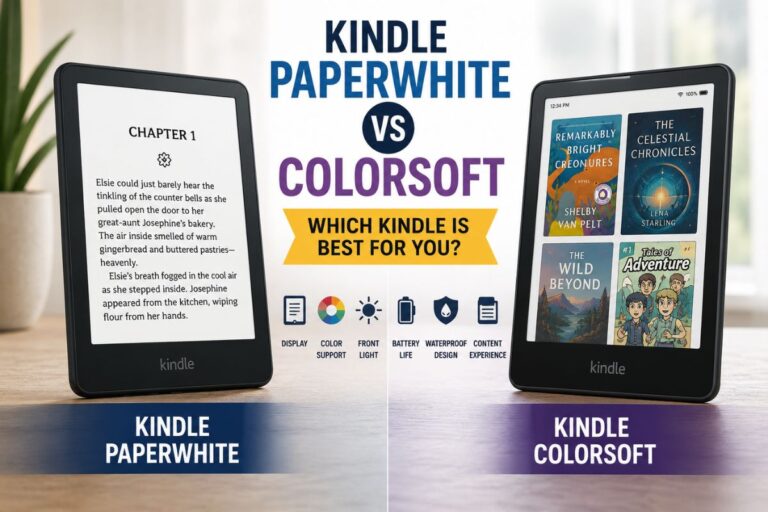
Kindle Paperwhite (11th Generation) — A bigger 6.8-inch screen, warm light, USB‑C, and waterproofing make it a strong upgrade. Page turns are faster, and text still looks 300 ppi crisp. It’s best for readers who want modern comforts without going premium.
Kobo Clara 2E — Compact 6-inch reader with ComfortLight PRO (excellent warm light), USB‑C, and OverDrive library borrowing. Ideal for library lovers and those who prefer an open ecosystem. Text is sharp, and customization is superb.
Kindle Oasis (10th Generation) — Premium 7-inch display, physical page-turn buttons, warm light, and waterproofing. It’s pricey but feels luxurious in hand. Best for heavy readers who want comfort features and fast performance.
| Product | Best For | Key Difference |
|---|---|---|
| Kindle Paperwhite 7th Generation | Budget-friendly, simple e-reading | 300 ppi, no warm light, micro‑USB, not waterproof |
| Kindle Paperwhite (11th Gen) | Modern features at mid-price | 6.8″ screen, warm light, USB‑C, waterproof |
| Kobo Clara 2E | Library users and customization fans | ComfortLight PRO, USB‑C, OverDrive, eco materials |
| Kindle Oasis (10th Gen) | Premium comfort and speed | 7″ display, page buttons, warm light, waterproof |

Final Verdict: Which Should You Buy?
The Kindle Paperwhite 7th Generation is still a dependable everyday reader. It shines with sharp text, long battery, and a compact build that invites reading anywhere. If your priorities are clarity, comfort, and cost, it’s a winner.
If you want warm light, waterproofing, and USB‑C, the newer Paperwhite is the sweet spot. If you crave premium ergonomics and page-turn buttons, the Oasis is luxury done right. If you love borrowing from your local library, the Kobo Clara 2E is a strong, eco‑minded alternative. Pick based on how and where you read most, and you’ll be happy.
FAQs Of kindle paperwhite 7th generation review
Does the Kindle Paperwhite 7th Generation have a warm light?
No. It has an even front light, but the color temperature is not adjustable. If you need warm light, consider newer models.
Is it waterproof?
No. The 7th Gen is not rated for water resistance. Use a waterproof case if you read near water.
How long does the battery last?
With light brightness around 10 and Wi‑Fi off, I get two to three weeks of daily reading. Your results may vary by brightness and usage.
Can I listen to audiobooks on it?
This model does not support Audible over Bluetooth. You’ll need a newer Kindle or use your phone for audiobooks.
Is the screen still good by today’s standards?
Yes. It’s 300 ppi, which is as sharp as many newer e‑readers. Text looks crisp and easy to read.