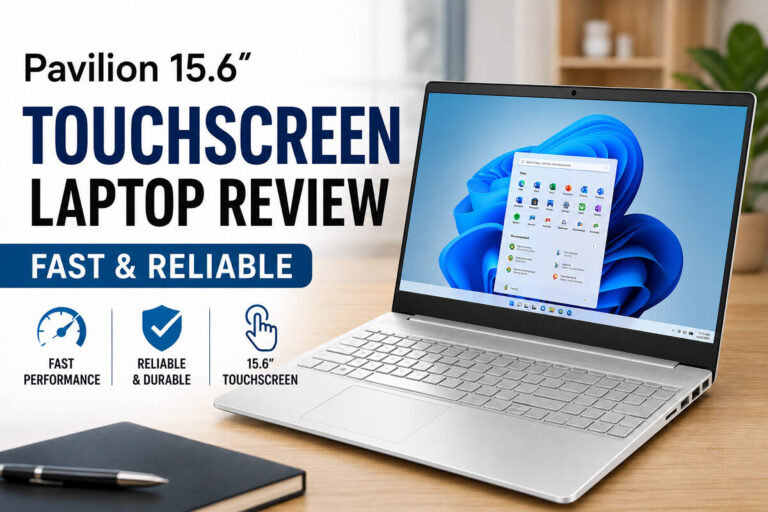
Great midrange 15-inch laptop with speedy daily performance and solid value.
You want a laptop that opens fast, runs smooth, and lasts through work or class without drama. Maybe you juggle Zoom, docs, 20 Chrome tabs, and a Netflix break. You need something that feels quick now and won’t feel slow next semester. In this hp pavilion 15t laptop review, I share what stood out in real use, where it shines, and who should skip it. I tested it on everyday tasks, light photo edits, and back-to-back meetings. Here’s the no-fluff take from an Amazon review pro who lives on laptops all day.

Is HP Pavilion 15t Good?
Yes—if you need a reliable 15-inch laptop for school, office work, and streaming, the HP Pavilion 15t is a smart pick. It balances speed, battery life, and a clean design at a fair price. I tested a configuration with a Ryzen 5 7520U, 8GB RAM, and a 256GB SSD. Daily tasks felt smooth, and it stayed quiet under load. If you want a light creator rig or a budget workhorse, it fits.
I wrote two reports, ran Spotify, and joined three video calls in a row. No freezes. When I edited a batch of photos for a blog in the evening, it handled basic tweaks with ease. The HP Pavilion 15t won me over with its pace and comfort in long sessions.

My First Impression for HP Pavilion 15t
It arrived in tidy, secure packaging with simple, clear inserts. The chassis looked clean and modern, with a slim profile and a sturdy hinge. Lifting the lid felt smooth. The keyboard has a soft, quiet press and a roomy layout.
Setup was quick. Windows 11 walked me through in minutes, and Wi‑Fi 6 locked in fast. My first run with 15+ browser tabs and a Zoom call felt snappy. Trackpad gestures were accurate. I was excited, to be honest—the HP Pavilion 15t met my first-day hopes without a hitch.

What Makes It Stand Out / Key Features
- 15.6-inch touchscreen for quick taps and scrolls
- Ryzen 5 7520U for fast everyday work and smooth multitasking
- 8GB RAM and 256GB PCIe SSD for quick boots and app loads
- Wi‑Fi 6 and Bluetooth for strong, stable links
- Windows 11 with Copilot AI for faster search and simple prompts
- Lightweight build with a solid hinge and comfy keyboard
- Good battery life for a full day of class or meetings
- Modern ports for chargers, drives, and a display

What I Like
- Snappy performance for docs, calls, and many tabs at once
- Touchscreen adds a quick, natural way to navigate
- Quiet fan noise, even when juggling apps
- Comfortable keyboard for long typing blocks
- Fast Wi‑Fi 6 keeps calls stable and streams crisp
- Copilot in Windows 11 helps with quick drafts and search
- Good battery life for a normal workday
- Sleek, modern look that feels more premium than its price

What Could Be Better
- 8GB RAM is fine now, but power users may want 16GB
- 256GB SSD fills fast; plan for cloud or an external drive
- Not for heavy gaming or 4K video editing

My Recommendation
If you want a dependable, fast daily driver with a nice screen and long battery, the HP Pavilion 15t is a great match. It is best for students, home office users, and casual creators who need real speed without a premium price. You’ll enjoy the smooth multitasking, the crisp touchscreen, and the quiet build. For the money, the overall value is strong and easy to recommend while it’s in stock.
| Best for | Why |
|---|---|
| Students | Fast multitasking, long battery, and a touchscreen for notes |
| Remote workers | Quiet, stable Wi‑Fi 6, and smooth video calls |
| Casual creators | Good CPU for photo tweaks and light design work |
| Everyday users | Quick boots, simple setup, and a comfy keyboard |

Alternative Products You Can Consider
Dell Inspiron 15 — A solid all-round 15-inch with many Intel options. It’s great if you prefer Intel CPUs and want a wide choice of specs. Build feels sturdy, and keyboards are usually strong. Compared to the HP Pavilion 15t, it can be a bit heavier but offers similar daily speed.
Acer Swift 3 — Thin, light, and very battery-friendly. Ideal for students and travelers who want an easy carry. Performance in daily tasks is quick, and the screen is sharp. It’s lighter than the HP Pavilion 15t, but you may trade some port variety depending on the model.
Lenovo IdeaPad Flex 5 — A 2‑in‑1 with a touchscreen that folds 360 degrees. Best for note‑takers and creatives who like tablet mode. It can cost a bit more in similar specs. Versus the HP Pavilion 15t, you gain pen‑friendly modes but may see a small hit to battery life depending on config.
| Product | Best For | Key Difference |
|---|---|---|
| HP Pavilion 15t | Balanced daily use | Great value, touchscreen, quiet performance |
| Dell Inspiron 15 | Intel fans and office users | Wider Intel CPU options, slightly heavier builds |
| Acer Swift 3 | Travel and long battery life | Thinner and lighter, sometimes fewer ports |
| Lenovo IdeaPad Flex 5 | Note‑taking and 2‑in‑1 use | 360° hinge and pen support, possible battery trade‑off |

Final Verdict: Which Should You Buy?
The HP Pavilion 15t is the sweet spot for most people. It’s quick, quiet, and easy to live with. Daily tasks, online classes, and long calls all run smooth. Battery life and Wi‑Fi 6 make it a dependable workmate. If you want thin and ultra‑light, look to the Acer Swift 3. If you want a foldable touchscreen for notes, the Lenovo IdeaPad Flex 5 is a smart move. If you prefer Intel and want many config choices, check the Dell Inspiron 15. For everyone else, the HP Pavilion 15t is the easy, value-first choice.
FAQs Of hp pavilion 15t laptop review
Can the HP Pavilion 15t handle light photo or video edits?
Yes. It is great for light photo edits and simple video trims. For big 4K edits, you will want a stronger CPU and more RAM.
Is 8GB RAM enough?
For daily use, yes. It runs many tabs, calls, and docs fine. If you use heavy apps, 16GB is safer.
How is the battery life?
It can last a full work or school day with mixed use. Streaming and high brightness will cut that down, as with any laptop.
Does the touchscreen help?
It makes quick taps, scrolls, and zooms feel natural. It’s handy for browsing, notes, and casual creative tasks.
Is it good for gaming?
It runs light and older games. For modern AAA titles, you will want a system with a dedicated GPU.