Charge earbuds in their case with the included cable or a Qi pad; expect a full charge in 1–2 hours.
As an audio tech enthusiast with years of hands-on experience testing earbuds and chargers, I’ll walk you through exactly how to charge wireless earbuds safely, quickly, and in a way that protects battery life. This guide covers step-by-step charging, wireless vs. wired options, case care, troubleshooting, and smart habits to keep batteries healthy. Read on to master how to charge wireless earbuds so they last longer and perform better.

Why proper charging matters for wireless earbuds
Charging matters for safety, sound quality, and battery lifespan. Lithium-ion batteries power most earbuds. They degrade if they get too hot, are left at a very low charge, or are charged with the wrong adapter. Knowing how to charge wireless earbuds the right way keeps battery capacity higher over time. It also reduces risks like swelling or sudden shutdowns.
Experience note: I’ve seen two pairs of earbuds lose half their daily runtime after repeated fast charging with high-voltage adapters. A simple change in charging habits restored predictable life spans.

Source: youtube.com
How to charge wireless earbuds: step-by-step
Follow these steps to ensure a safe and full charge for most models.
- Prepare the charging case
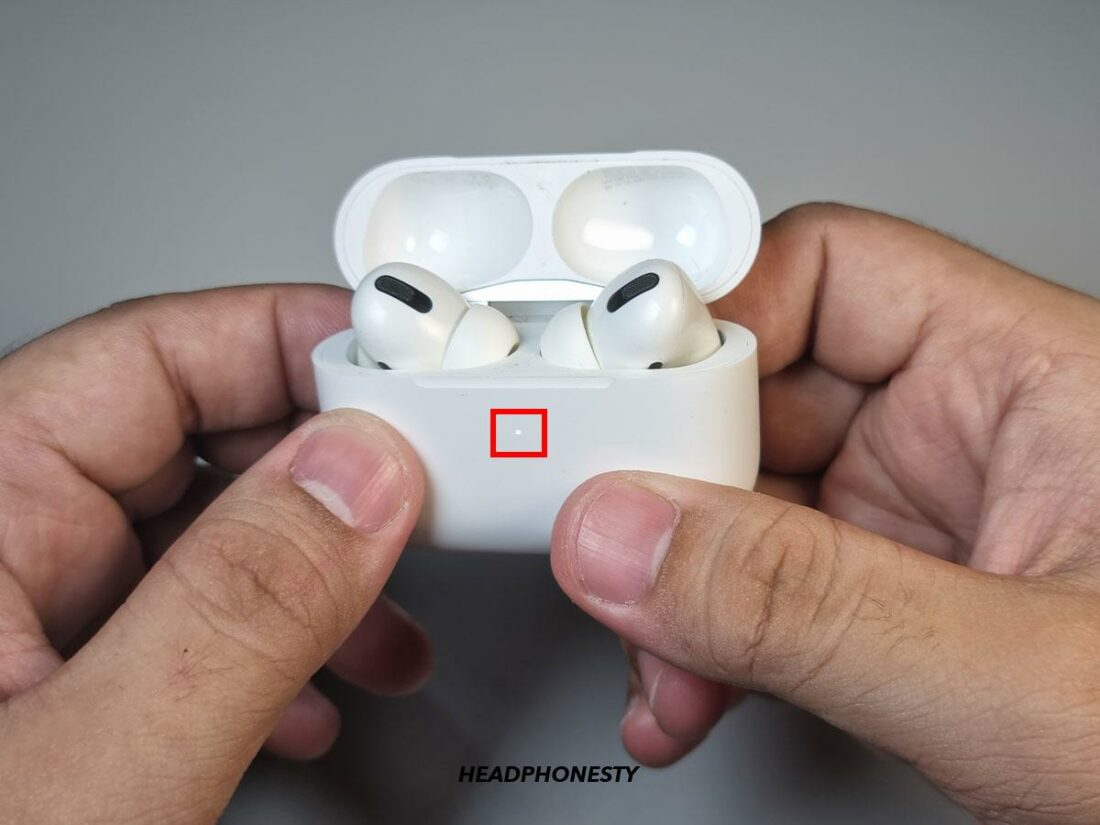
- Make sure the case has enough battery. Most cases use a tiny internal LED to show case power.
- Clean the contacts inside the case and on the earbuds before charging.
- Insert earbuds correctly
- Place each earbud into its slot. They usually click or align with magnetic pins.
- Confirm charging by watching the LED on each earbud or the case.
- Charge the case (wired)
- Use the cable that came with the earbuds. Most modern cases use USB-C. Older models may use micro-USB or Lightning.
- Plug the cable into a wall charger rated 5V/1A to 5V/2A. Avoid chargers with very high voltages unless the manufacturer states support.
- Charge the case (wireless)
- If the case supports Qi wireless charging, place it centered on a compatible Qi pad.
- Check the case LED to ensure it’s wirelessly charging.
- Wait for a full charge
- Small earbuds usually take 30–90 minutes in the case to full charge. The case may take 60–120 minutes.
- Avoid using earbuds during charging, as that slows the process.
- Remove and store properly
- Once fully charged, remove earbuds and store in a cool, dry place.
- If you won’t use them for weeks, store at around 40–60% charge for best battery health.
How to charge wireless earbuds safely depends on following the device guidelines and avoiding extreme temperatures. If your manual recommends a specific charger, follow it.

Source: reddit.com
Charging case care and maintenance
Keeping the charging case in good shape improves charge performance and accuracy.
- Keep contacts clean
- Wipe metal contacts with a dry cotton swab or isopropyl alcohol lightly on a cloth.
- Protect ports
- Don’t force connectors. Cover ports when not in use if the case has a flap.
- Avoid moisture
– Don’t charge a wet case. Let any moisture evaporate completely first. - Update firmware
- Some earbuds get charging fixes via firmware. Check the app occasionally.
Personal tip: I once fixed inconsistent charging lights by gently cleaning the case contacts and updating firmware. It worked every time.
Source: youtube.com
Troubleshooting common charging problems
If you’re wondering how to charge wireless earbuds when things go wrong, try these fixes.
- Earbuds not charging inside the case
- Re-seat each earbud and clean contacts. Make sure the case has power.
- Case not charging
- Try a different cable and wall adapter. Inspect the port for debris.
- One earbud charges, but the other doesn’t
- Swap earbuds between slots to test the slot. Reset earbuds per the manufacturer’s steps.
- Slow charging
- Use the original cable and a 5V/1–2A adapter. Avoid USB ports on low-power devices.
PAA-style questions
Can you charge wireless earbuds without the case?
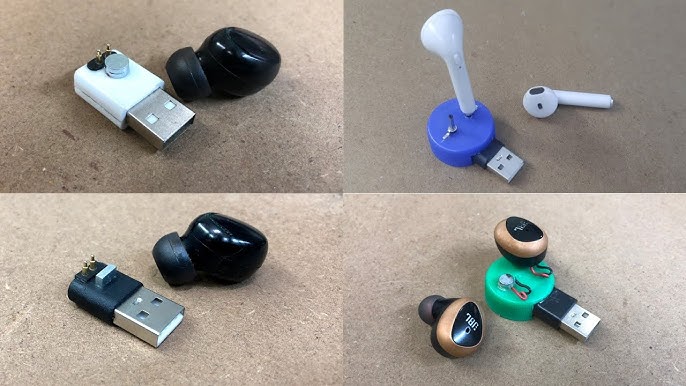
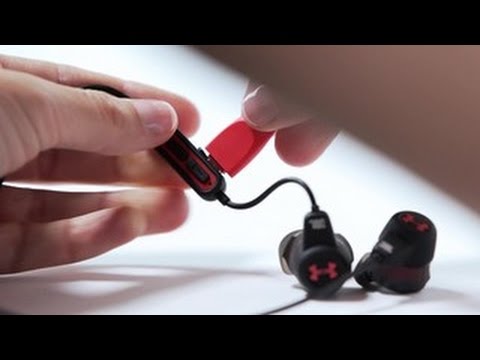
No. Most true wireless earbuds rely on the case for charging because the case contains the battery and charging contacts. Some neckband or single-ear models may charge individually.
Will fast charging damage earbuds?
Not if the earbuds and case are rated for it. Only use the charging methods the manufacturer endorses to avoid long-term battery wear.
How long should I leave earbuds in the case?
Leave earbuds in the case until the LED indicates a full charge, typically 30–90 minutes. Short top-ups are fine for quick use.
Source: headphonesty.com
Tips to extend battery life and health
Little habits make a big difference in battery longevity and how to charge wireless earbuds effectively over months and years.
- Charge regularly
- Don’t let batteries sit completely dead for long. Top up at 20–80% when possible.
- Avoid extreme temperatures
- Charging in hot cars or direct sun speeds degradation.
- Use moderate chargers
- Use standard 5V chargers unless specified. Avoid high-voltage fast chargers designed for laptops.
- Store at partial charge
- If putting earbuds away for a month, store them at around 50% charge.
- Disable always-on features
- Turn off auto-pair or voice wake when not needed to reduce drain.
Real-life lesson: After switching to nightly top-ups instead of weekly full drains, I noticed steadier battery life and fewer sudden shutdowns during workouts.
Source: youtube.com
Frequently Asked Questions of how to charge wireless earbuds
How long does it take to charge wireless earbuds?
Most earbuds charge in 30–90 minutes inside the case. Charging times vary by model and battery size.
Can I use any USB charger to charge the case?
You can use many USB chargers, but the safest option is the cable and adapter recommended by the maker. Avoid unusually high-voltage adapters unless supported.
Is wireless charging slower than wired?
Yes, wireless charging is often slightly slower and less efficient than a direct wired connection, but it is very convenient.
How often should I fully charge the case?
You don’t need full charges daily. Topping up as needed and keeping the case charged once every few days is fine for regular users.
Why do my earbuds lose battery fast after a few months?
Battery aging from heat, deep discharges, or many charge cycles causes capacity loss. Better charging habits slow this process.
Conclusion
Knowing how to charge wireless earbuds is simple when you follow basic steps: use the case, clean contacts, choose the right charger, and avoid extreme heat. These habits protect battery health and keep your earbuds reliable when you need them. Start small—clean your contacts, use the correct cable, and try nightly top-ups—and you’ll notice steadier performance. If this guide helped, subscribe for more practical audio tips or leave a comment about your earbuds and charging questions.