Disclaimer
“As an Amazon Associate, we earn from qualifying purchases. If you purchase through links on our site, we may earn a commission at no additional cost to you.”
Introduction
Shopping for the best USB-C flash drive can feel confusing once you start comparing read speeds, storage sizes, and connector types. Most laptops, tablets, and newer phones have dropped the old USB-A port in favor of USB-C, so picking a drive that actually fits your devices matters more than ever. A drive that’s too slow or the wrong capacity can leave you waiting on transfers or running out of space at the worst time.
This guide breaks down seven USB-C flash drives that cover a range of needs, from budget-friendly everyday drives to high-speed options built for large video files. Each pick includes verified specs, real strengths, and honest limitations so you can match a drive to how you actually plan to use it. Whether you need extra space for photos, a backup drive for work files, or a fast option for moving 4K footage, there’s a practical choice below.
Quick Comparison Table
| Rank | Product | Type | Best For | Key Feature | Rating |
|---|---|---|---|---|---|
| 1 | SanDisk Ultra Dual Drive 128GB | USB-C + USB-A | Best Overall | Retractable dual connector, 150MB/s read | 4.5 |
| 2 | Samsung Type-C 256GB | USB-C only | Best for Speed & Durability | Up to 400MB/s read, waterproof/shockproof | 4.5 |
| 3 | SSK 128GB | USB-C + USB-A | Best for Fastest Transfers | Up to 550MB/s read, zinc alloy body | 4.4 |
| 4 | Lexar D40E 128GB | USB-C + USB-A | Best Value / Best Seller | Swivel design, 256-bit AES encryption | 4.3 |
| 5 | Amazon Basics 128GB | USB-C + USB-A | Best Budget Pick | Metal casing, dual-port simplicity | 4.5 |
| 6 | KEXIN 128GB | USB-C + USB-A | Best Lightweight/Portable | 9.5g weight, swivel cover, lanyard loop | 4.2 |
| 7 | Thkailar 1TB | USB-C + USB-A | Best for Maximum Storage | 1TB capacity, metal body | 4.4 |
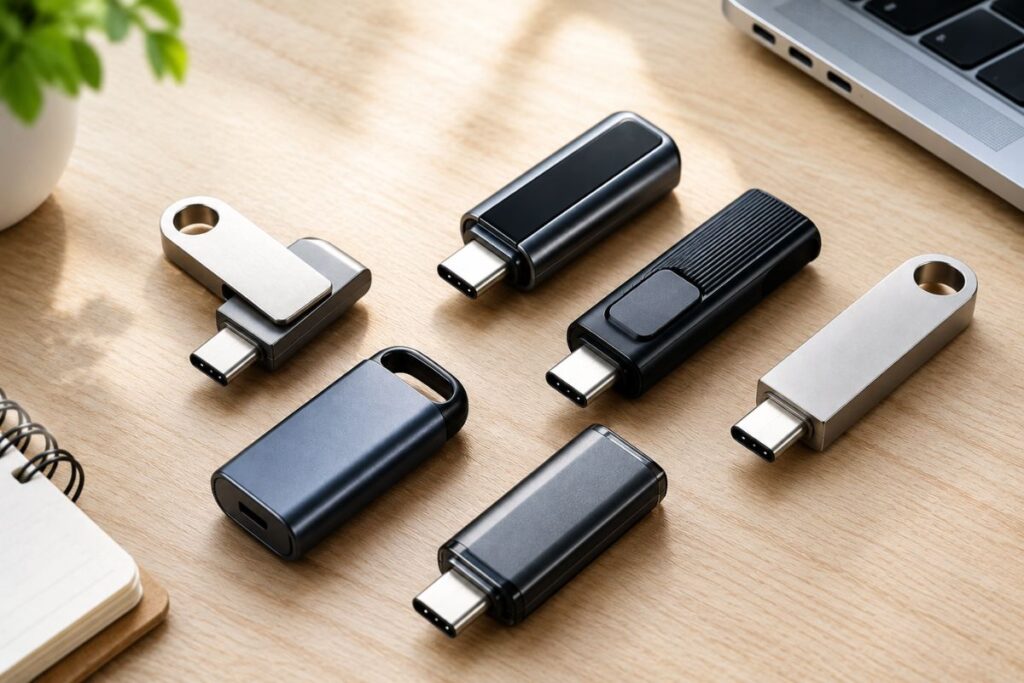
Featured image is AI-generated and for illustrative purposes only.
Top 7 “Best USB-C Flash Drive”
1. SanDisk Ultra Dual Drive 128GB — Best Overall
The SanDisk Ultra Dual Drive earns the top spot thanks to a rare combination of a huge review base, a 5-year warranty, and a design that works across almost any device. It has a retractable body with a reversible USB Type-C connector on one end and a traditional USB connector on the other, so you’re never stuck without the right port. With over 120,900 customer ratings and a 4.5-star average, it’s one of the most reviewed drives in this category.
Key Features
- Retractable dual-connector design (USB-C and USB-A)
- Read speeds of up to 150MB/s
- SanDisk Memory Zone app for Android file management
- 5-year limited warranty
- Compatible with Windows, Mac OS, and USB-C smartphones/tablets
Pros
- Extremely large, positive review history
- Retractable design protects connectors without a cap to lose
- Long 5-year warranty backs up build confidence
- Works across nearly every modern device with USB-C or USB-A
Cons
- 150MB/s read speed is modest next to faster USB 3.2 Gen 2 drives
- No listed write speed for reference
- Requires OTG support on Android phones to work with the Type-C end
Best For: Buyers who want a dependable, do-it-all drive for moving files between a phone, tablet, and computer without worrying about compatibility.
Specifications
- Capacity: 128GB
- Interface: USB 3.1 Type-C
- Read Speed: 150MB/s
- Weight: 9.07g
Our Take: This is a safe, well-tested pick for anyone who wants one drive that works everywhere. If raw speed for large video files is the priority, the Samsung or SSK drives below will move data faster.
2. Samsung Type-C 256GB — Best for Speed & Durability
Samsung’s Type-C drive stands out for pairing high read speeds with genuine ruggedness. It’s rated waterproof, shockproof, magnet-proof, temperature-proof, and X-ray-proof, which makes it a strong choice for anyone who tosses a drive in a bag or pocket without much thought. It also holds a 4.5-star rating across more than 17,700 reviews.
Key Features
- Read speeds up to 400MB/s (USB 3.2 Gen 1)
- Waterproof, shockproof, and temperature-resistant body
- Reversible USB-C plug for easy insertion
- 256GB of storage, enough for tens of thousands of photos
- 5-year limited warranty
Pros
- Fast read speeds for a compact drive
- Durable build suited for travel or rough handling
- Backward compatible with USB 3.0/2.0 ports
- Backed by a lengthy 5-year warranty
Cons
- USB-C connector only, no USB-A adapter included
- Write speed is lower than the read speed at 300MB/s
- Not ideal for older computers without a USB-C port
Best For: Users with newer laptops and phones who want a fast, durable drive for photos, 4K video, or travel backups.
Specifications
- Capacity: 256GB
- Interface: USB 3.2 Gen 1
- Read Speed: 400MB/s | Write Speed: 300MB/s
- Weight: 3.4g
Our Take: A strong pick for anyone prioritizing speed and durability in a USB-C-only setup. Those who still rely on USB-A devices may prefer a dual-connector drive instead.
3. SSK 128GB — Best for Fastest Transfers
For buyers who move large files often, the SSK drive offers the fastest rated speeds in this lineup. Built with a zinc alloy shell and a USB 3.2 Gen 2 interface, it’s designed for people who don’t want to wait around during transfers. It holds a 4.4-star rating from nearly 7,400 reviews.
Key Features
- Read speeds up to 550MB/s, write speeds up to 500MB/s
- Dual USB-C and USB-A connectors
- Zinc alloy housing with double-head protective cover
- Backward compatible with USB 3.0 and USB 2.0
- 3-year warranty
Pros
- Fastest read and write speeds among the seven drives
- Sturdy metal construction with protected connectors
- Works across Windows, Mac, Android, and Linux systems
- Dual-port design covers both new and older devices
Cons
- Not compatible with Lightning-port devices
- Heavier than most drives on this list at 37g
- 128GB capacity may feel limiting for video-heavy users
Best For: Photographers, video editors, and anyone regularly transferring large files who wants the shortest possible wait time.
Specifications
- Capacity: 128GB
- Interface: USB 3.2 Gen 2
- Read Speed: 550MB/s | Write Speed: 500MB/s
- Weight: 37g
Our Take: If speed is your top priority, this is the drive to get. Buyers who need more than 128GB of space should look at the Samsung or Thkailar options instead.
4. Lexar D40E 128GB — Best Value / Best Seller
The Lexar D40E holds the #1 best-seller spot in its category, and its combination of price, features, and security software helps explain why. It has a 360-degree swivel design that switches between USB-C and USB-A without a removable cap, plus built-in 256-bit AES encryption software for protecting sensitive files.
Key Features
- Dual USB-A and USB-C connectors with 360° swivel design
- Read speeds up to 100MB/s, write speeds up to 80MB/s
- 256-bit AES encryption software included
- Metal enclosure rated for 0°C to 50°C
- 3-year limited warranty
Pros
- Encryption software adds a layer of file security
- Swivel design means no cap to misplace
- Backed by strong sales volume and a 4.3-star rating from over 10,000 reviews
- Compact and lightweight at 26g
Cons
- Read and write speeds trail behind the Samsung and SSK drives
- Metal housing can show scratches over time
- Encryption software may require setup time for new users
Best For: Everyday users who want a reliable, secure, no-fuss drive backed by strong sales history and a fair price point.
Specifications
- Capacity: 128GB
- Interface: USB 3.2 Gen 1
- Read Speed: 100MB/s | Write Speed: 80MB/s
- Weight: 26g
Our Take: A well-rounded pick that balances price, security, and convenience. Buyers who need faster transfers for large media files should consider the SSK or Samsung drives.
5. Amazon Basics 128GB — Best Budget Pick
Amazon Basics keeps things simple with a dual-port drive that covers the essentials without extra frills. It has a 4.5-star rating from over 4,500 reviews, making it one of the better-rated drives in this list despite its straightforward design.
Key Features
- Dual USB-C and USB-A ports
- Read speeds up to 400MB/s
- Metal exterior with rotating open/close cover
- Default exFAT formatting for broad device compatibility
- Hanging hole for keychain attachment
Pros
- Strong rating relative to its simple feature set
- Fast rated read speed for the price category
- Rotating cover protects connectors without detachable parts
- Compact and easy to carry
Cons
- No listed write speed for comparison
- No encryption software or rugged certifications
- Warranty details require a separate request to customer service
Best For: Budget-conscious buyers who want a dependable, no-frills drive for everyday file transfers and backups.
Specifications
- Capacity: 128GB
- Interface: USB 3.2 Gen 1
- Read Speed: 400MB/s
- Weight: 20g
Our Take: A solid budget option backed by a strong customer rating. Buyers who want encryption or a rugged design should look toward the Lexar or Samsung drives.
6. KEXIN 128GB — Best Lightweight/Portable
The KEXIN drive is built with portability in mind. At just 9.5 grams, it’s one of the lightest drives on this list, and its 360-degree swivel cover along with a lanyard loop makes it easy to carry on a keychain or backpack clip.
Key Features
- Dual USB-A and USB-C connectors
- Read and write speeds up to 100MB/s
- 360° swivel cover for connector protection
- Lanyard loop for keychain or bag attachment
- Compatible with smartphones, tablets, car audio, and game consoles
Pros
- Very lightweight and compact for everyday carry
- Swivel cover eliminates the need for a separate cap
- Wide device compatibility, including car audio systems
- Reasonably priced for a dual-connector drive
Cons
- Lower star rating (4.2) compared to other picks on this list
- Speeds are modest next to faster USB 3.2 Gen 2 drives
- Fewer total reviews than higher-ranked competitors
Best For: Commuters, students, or anyone who wants a small drive that can clip onto a keychain and travel between devices easily.
Specifications
- Capacity: 128GB
- Interface: USB 3.0
- Read Speed: 100MB/s | Write Speed: 100MB/s
- Weight: 9.5g
Our Take: A good pick if portability and a lanyard loop matter more than top-end speed. Buyers focused on transfer performance may prefer the SSK or Samsung drives.
7. Thkailar 1TB — Best for Maximum Storage
For buyers who simply need more space, the Thkailar drive offers a full terabyte of storage in a compact metal body. It’s the highest-capacity drive in this lineup by a wide margin, making it useful for anyone archiving large photo or video libraries.
Key Features
- 1TB storage capacity
- Dual USB-A and USB-C connectors
- Read speeds up to 120MB/s, write speeds up to 100MB/s
- Metal body with dust cap
- Wide phone compatibility across major Android and iPhone models
Pros
- Significantly more storage than any other drive on this list
- Dual-connector design works with phones, laptops, and tablets
- Metal construction with a protective dust cap
- Competitive 4.4-star rating from over 4,100 reviews
Cons
- Actual usable capacity will be somewhat less than 1TB due to formatting overhead
- Shorter 12-month warranty compared to competitors offering 3–5 years
- Lower best-seller ranking than most other picks in this guide
Best For: Households or professionals who need to store large media libraries, backups, or extensive document archives on a single drive.
Specifications
- Capacity: 1TB
- Interface: USB 3.0
- Read Speed: 120MB/s | Write Speed: 100MB/s
Our Take: The clear choice for anyone who needs maximum storage over top-tier speed. Buyers focused on fast transfers or long warranty coverage may want to look elsewhere on this list.
How to Choose the Best USB-C Flash Drive
Picking the best USB-C flash drive comes down to matching a few key factors to how you’ll actually use it. Start with capacity. Most people are well served by 128GB for everyday documents and photos, but anyone archiving video or large project files should consider a 256GB or 1TB option like the Samsung or Thkailar drives above.
Connector type matters just as much as capacity. Some drives, like the Samsung Type-C 256GB, use a USB-C-only connector, which works great with newer laptops and phones but won’t plug into older USB-A ports without an adapter. Dual-connector drives, like the SanDisk, Lexar, and SSK options, offer more flexibility if you regularly switch between devices.
Performance is measured in read and write speeds, usually listed in MB/s. Read speed affects how fast you can open or copy files off the drive, while write speed affects how fast you can save files onto it. If you work with large video files, prioritize a drive rated for at least 300MB/s, like the Samsung or SSK models.
Build quality also plays a role in long-term reliability. Metal housings, swivel covers, and protective caps all help prevent damage to the connector from everyday wear. Drives with additional certifications, like Samsung’s waterproof and shockproof rating, offer extra peace of mind for people who travel or work outdoors.
Finally, check the warranty length when it’s listed. A longer warranty, such as the 5-year coverage on the SanDisk and Samsung drives, often signals more manufacturer confidence in the product. Weigh warranty length alongside price and speed to find the right balance for your budget.
Key Features to Compare Before Buying
Once you’ve narrowed down capacity and connector type, a few other features can meaningfully change which USB-C flash drive is the right fit. Transfer speed matters most for people who move large files often, like video editors or photographers. For casual users who mostly store documents or photos, a drive with moderate speeds, like the Lexar D40E, will feel just as fast in daily use.
Security features are worth prioritizing if you carry sensitive files. The Lexar D40E is the only drive in this guide with built-in 256-bit AES encryption software, which is useful for anyone storing financial records, work documents, or personal information they don’t want accessible if the drive is lost.
Physical design affects convenience more than performance. Swivel covers, like those on the Lexar and KEXIN drives, remove the risk of losing a small cap. Retractable designs, like the SanDisk Ultra Dual Drive, offer similar protection with a different mechanism. A lanyard loop, found on the KEXIN drive, is a small but practical feature for anyone who wants to keep the drive attached to a keychain or bag.
Beginners generally don’t need to prioritize top-tier speed and can safely choose based on price, warranty, and ease of use. More experienced users working with large files, such as raw photos or 4K video, should weigh transfer speed more heavily, since the difference between 100MB/s and 550MB/s becomes noticeable during frequent large transfers. Paying more for a faster or more rugged drive makes sense if you rely on it for work; casual users can often save money without sacrificing much in daily performance.
Who Should Buy One?
- Students who need a portable way to move class files and assignments between a school computer and personal laptop.
- Remote workers who regularly transfer documents between a work laptop and a personal device without relying on cloud storage.
- Photographers and content creators who need fast transfer speeds for moving raw photos or 4K video off a camera or phone.
- Frequent travelers who want a rugged, durable drive that can survive drops, spills, or extreme temperatures in a bag.
- Households upgrading from USB-A-only drives now that most new laptops and phones only include USB-C ports.
- Buyers prioritizing file security who want built-in encryption for storing sensitive personal or financial documents.
- Anyone needing large-scale backup storage, such as archiving family photos, videos, or years of work documents on a single drive.
- Budget-conscious shoppers who want a dependable, no-frills drive for everyday file transfers without paying for extra features.
Frequently Asked Questions (FAQs)
What should I look for when buying a USB-C flash drive?
Focus on capacity, connector type, and read/write speed based on your typical use. Dual USB-C and USB-A drives offer the most flexibility, while higher speeds matter most if you transfer large files like video regularly.
Which type is best for beginners?
Dual-connector drives with moderate speeds, like the Lexar D40E or Amazon Basics, work well for beginners. They’re simple to use, compatible with most devices, and don’t require extra setup or software knowledge.
What features matter most?
Connector compatibility and transfer speed matter most for daily use. Build quality and warranty length are also worth considering if you want the drive to last several years of regular use.
Is a more expensive model worth it?
It depends on your needs. Faster or more rugged drives, like the Samsung or SSK options, are worth the extra cost for professionals moving large files, but casual users can often get by with a budget-friendly pick.
How long should a quality USB-C flash drive last?
Warranty length offers a useful signal, with some drives in this guide backed by 3 to 5 years of coverage. Actual lifespan depends on usage frequency and how carefully the connector is handled.
What size is best for a particular use?
128GB suits most everyday users storing documents and photos. Those working with large video files or building a personal archive should consider a 256GB or 1TB drive instead.
Final Verdict
Choosing the best USB-C flash drive comes down to matching capacity, speed, and connector type to your daily habits. The SanDisk Ultra Dual Drive 128GB stands out as the best overall pick thanks to its dual-connector flexibility, long warranty, and strong review history. For buyers who prioritize speed and durability, the Samsung Type-C 256GB offers fast transfers in a rugged, travel-ready body.
If you’re watching your budget, the Amazon Basics 128GB delivers solid performance and a strong rating without a premium price tag. Families or professionals who need serious storage space should look at the Thkailar 1TB, while anyone regularly moving large files will appreciate the transfer speeds on the SSK 128GB.
Whichever option you choose, matching the drive’s connector type, speed, and capacity to your actual usage will make the biggest difference in day-to-day satisfaction. A few minutes comparing these details now can save a lot of frustration later.